
How to import your existing Pitch?
If you already have a pitch deck created in PowerPoint, you can import it into Upmetrics and continue working on it within the platform. Upmetrics reads your presentation and converts it into an editable pitch deck, helping you save time and avoid rebuilding slides from scratch.
Once the import is complete, you can edit slide content, customize the design, and present your pitch directly from Upmetrics.
Steps to import an existing pitch deck
- 1
-
From the Company menu, select Pitch Deck.

- 2
-
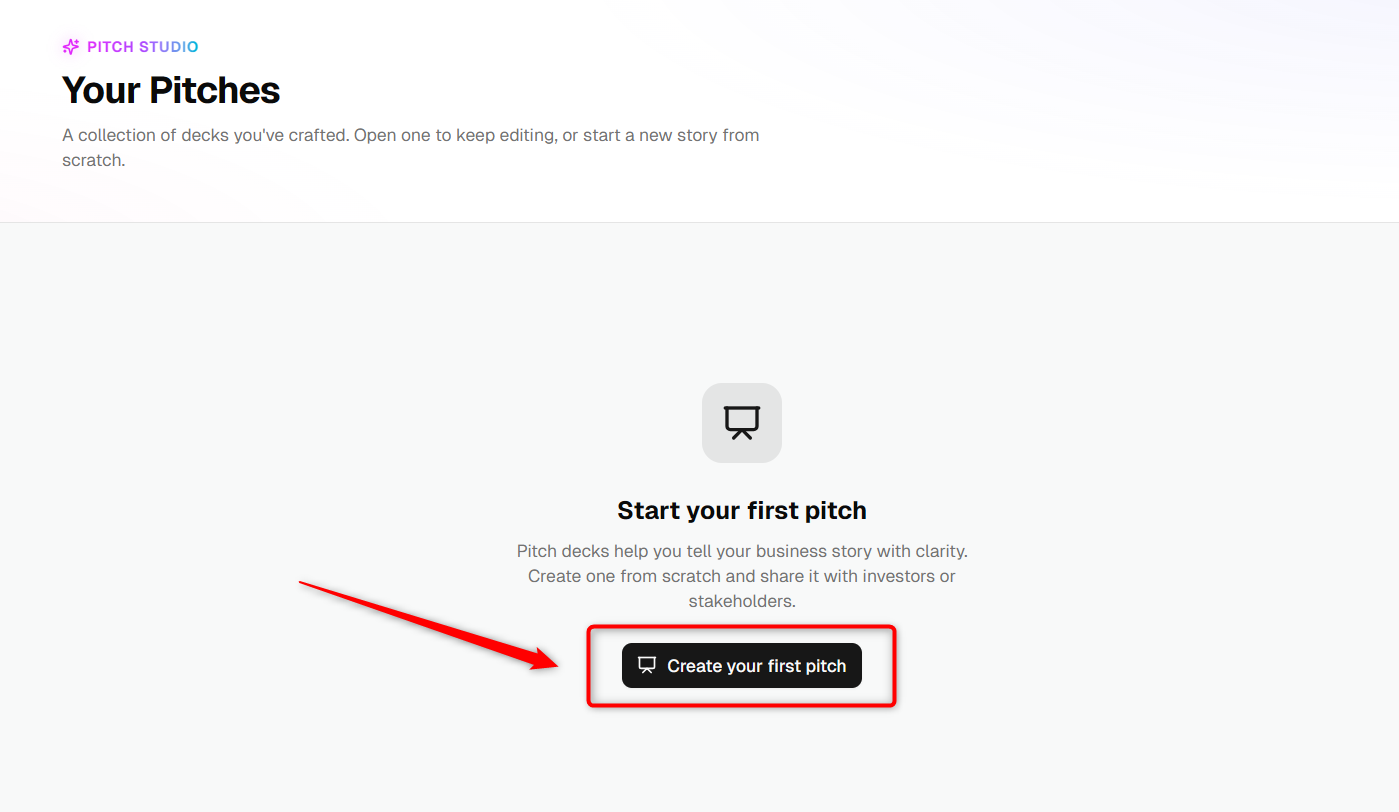
Click on Create a Pitch.
- 3
-
Enter a name for your pitch deck and click Create Pitch.


- 4
-
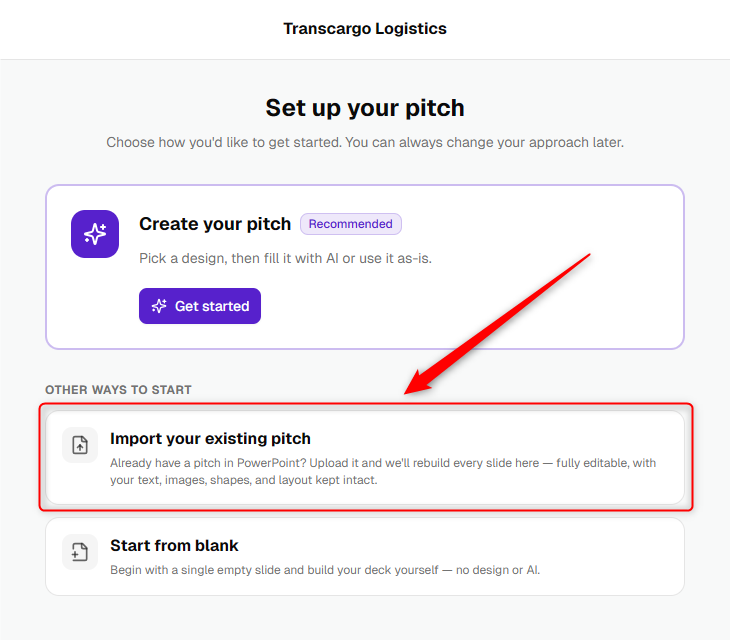
You will be redirected to the setup page. Select the Import Your Existing Pitch option.
- 5
-
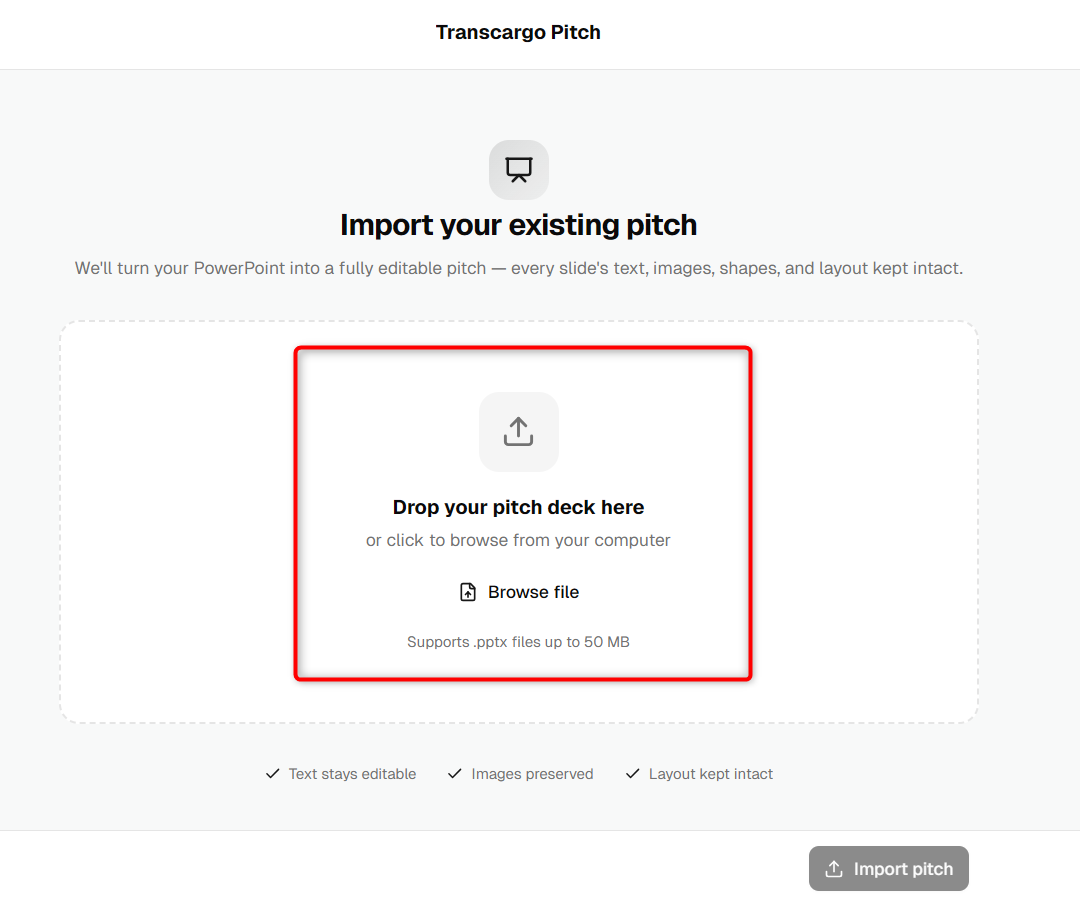
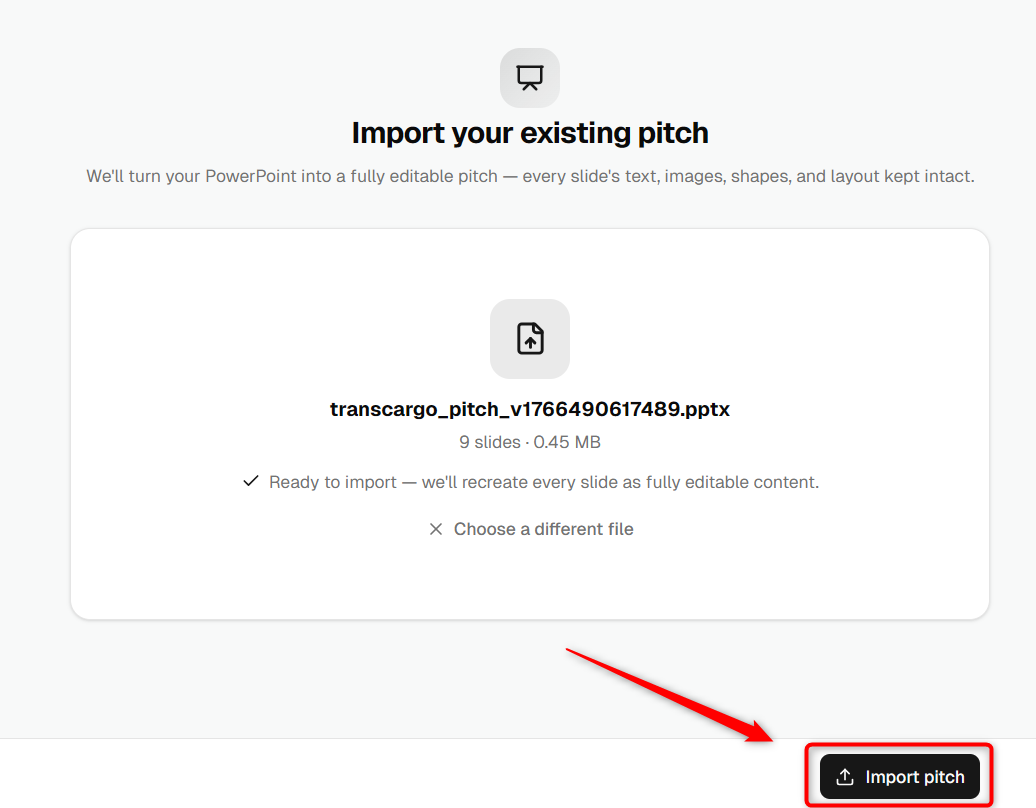
Upload your pitch file and click Import Pitch.
- 6
-
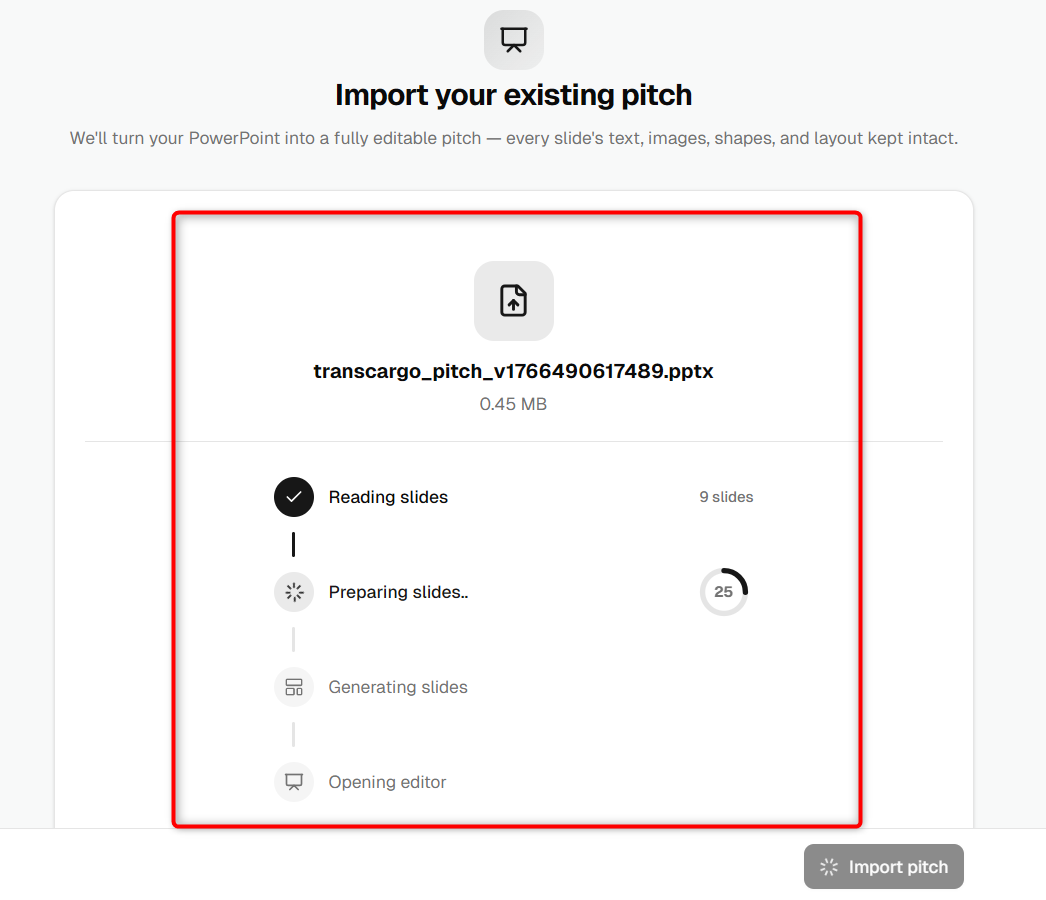
Upmetrics will read your presentation and prepare the pitch deck inside the platform.
- 7
-
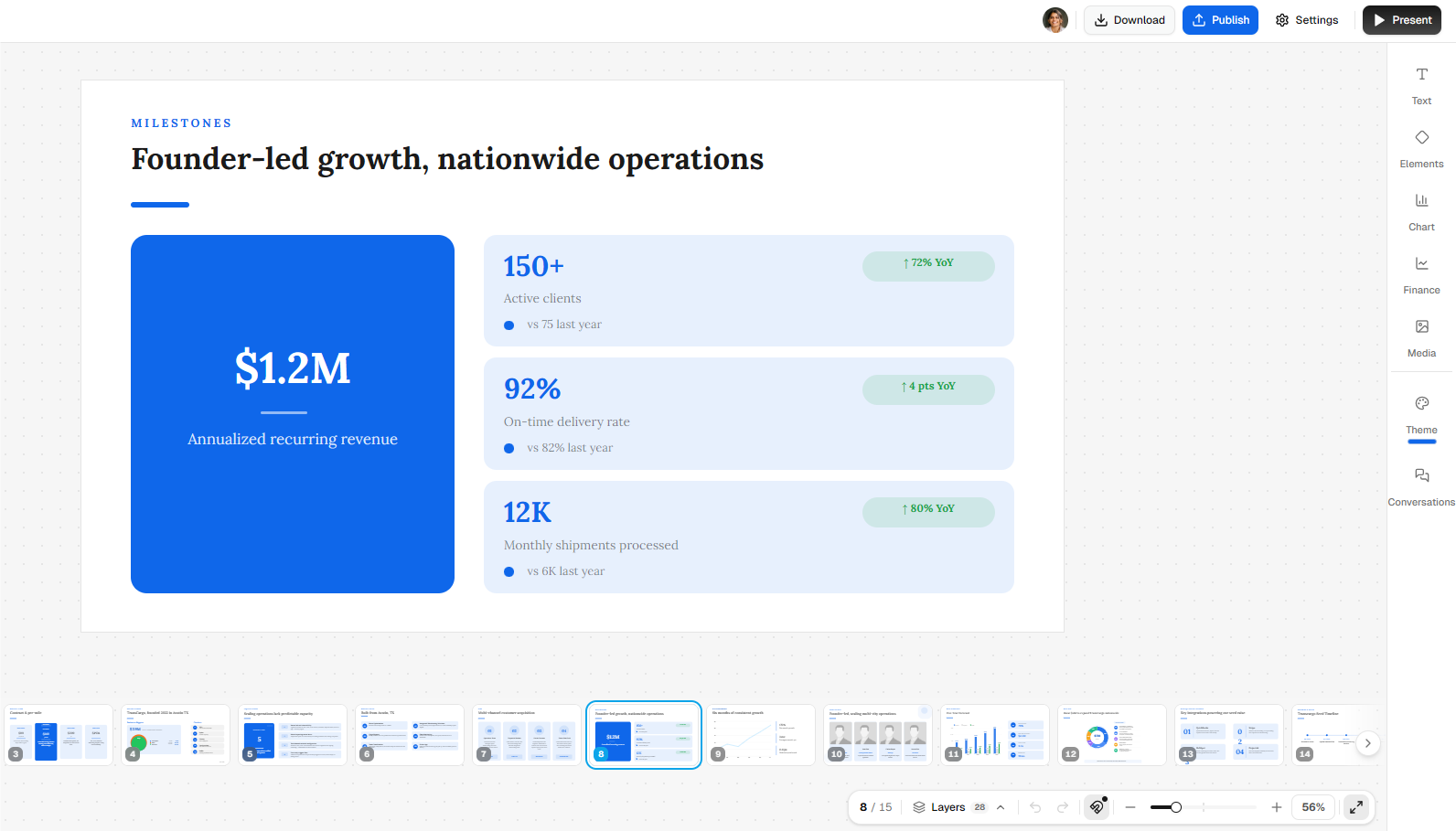
Once the import is complete, the pitch deck will open in the editor. You can start reviewing and editing the imported slides.
TIP: For the best results, upload a well-formatted PowerPoint file with clear slide content.
NOTE: Import time may vary depending on the size and complexity of your presentation.
Your existing pitch deck is now available in Upmetrics and ready for customization. You can continue editing slides, update content, and present your pitch directly from the platform.