
How to Access or Request an Industry Research Report in Upmetrics
Industry Research Reports provide market insights, trends, and analysis tailored to your specific industry. These reports are designed to help you understand your market better and make data-backed decisions while building your business plan.
Instead of spending hours researching multiple sources, you can use Industry Research to quickly access structured insights or request a new report if it’s not available yet. Requested reports are prepared by the Upmetrics team and typically delivered within 48 hours.
NOTE: Industry Research reports are currently available for the U.S. market only. Coverage for additional markets will be added over time.
NOTE: Industry Research Reports cannot be downloaded or exported. They can only be viewed directly within the Industry Research section of your company.
What is an industry research report?
An industry research report is a comprehensive overview of your selected industry, generated using AI and reliable data sources. Each report covers key areas such as market size, industry structure, risks, trends, operational insights, and financial considerations.
These insights help you understand how your industry operates, who your customers and competitors are, and what challenges or opportunities you should plan for.
How industry research helps in creating your business plan
Industry research reports play a critical role in strengthening your business plan. You can use the data and insights to:
- Support your Market Analysis with credible industry data.
- Identify key industry trends and growth opportunities.
- Understand risks, regulations, and operational challenges.
- Build realistic financial assumptions and projections.
- Answer investor questions with confidence and clarity.
By referencing industry research, your business plan becomes more data-driven, professional, and investor-ready.
Steps to access or request an industry report
- 1
-
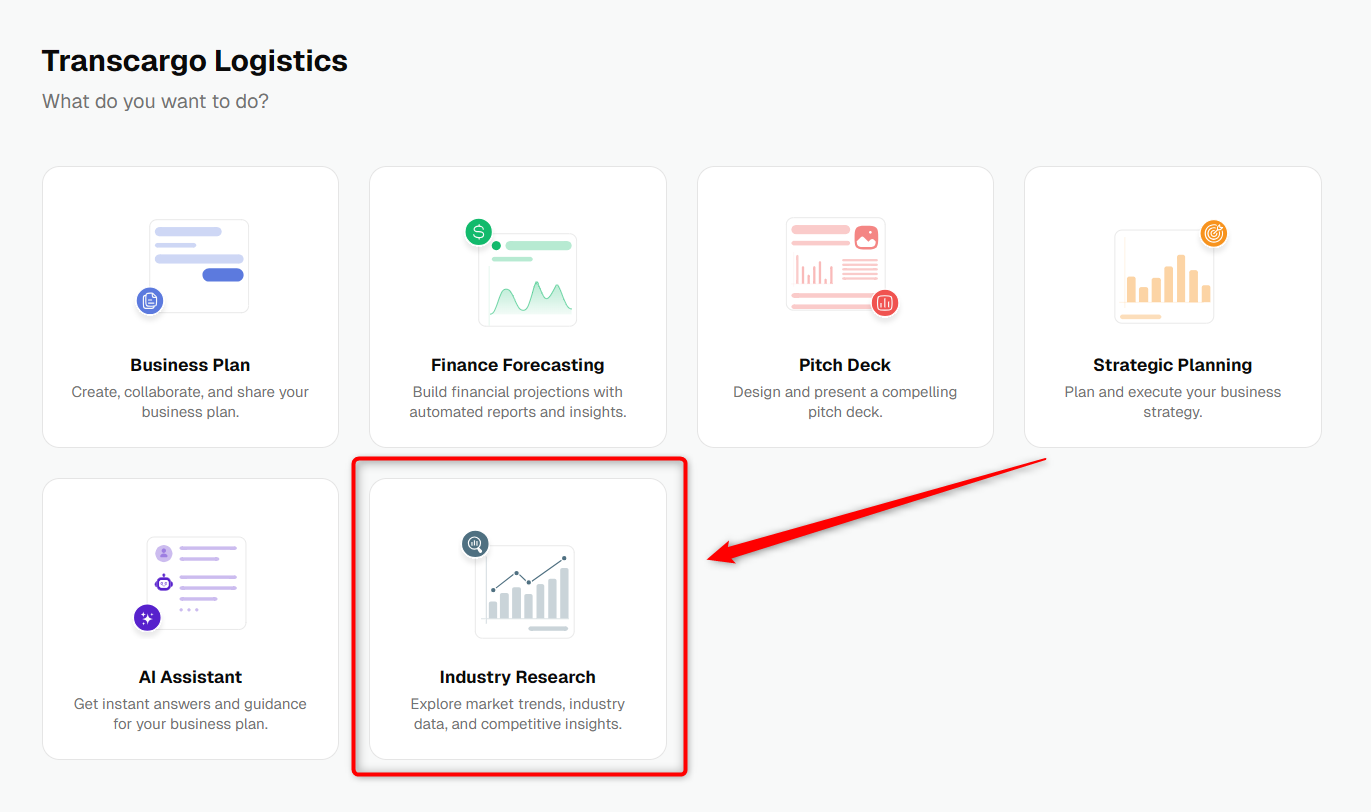
From your company menu, click Industry Research.
- 2
-
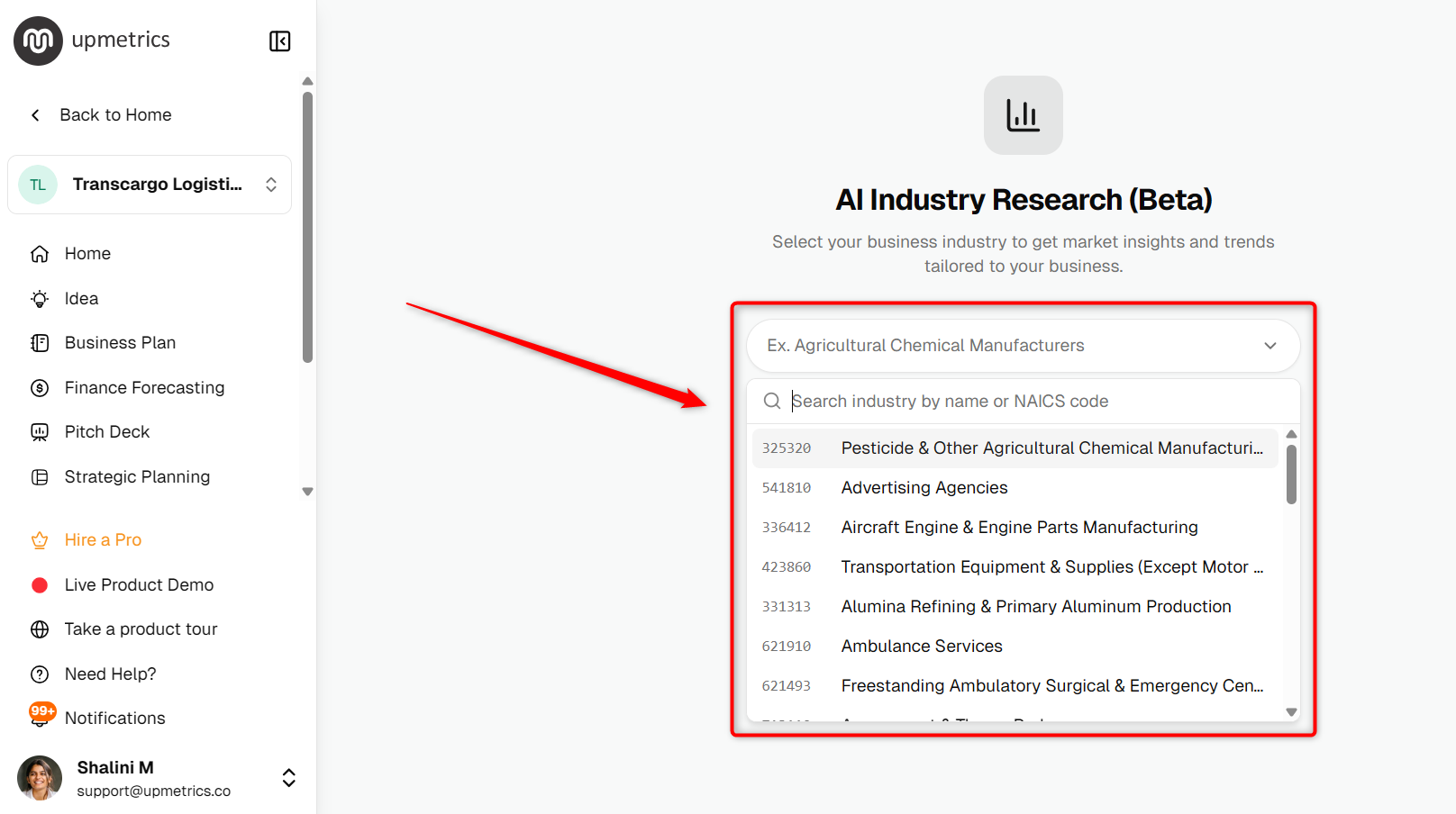
In the Industry Research section, click the search bar and select the most relevant industry from the dropdown list (based on the industry/NAICS match).
- 3
-
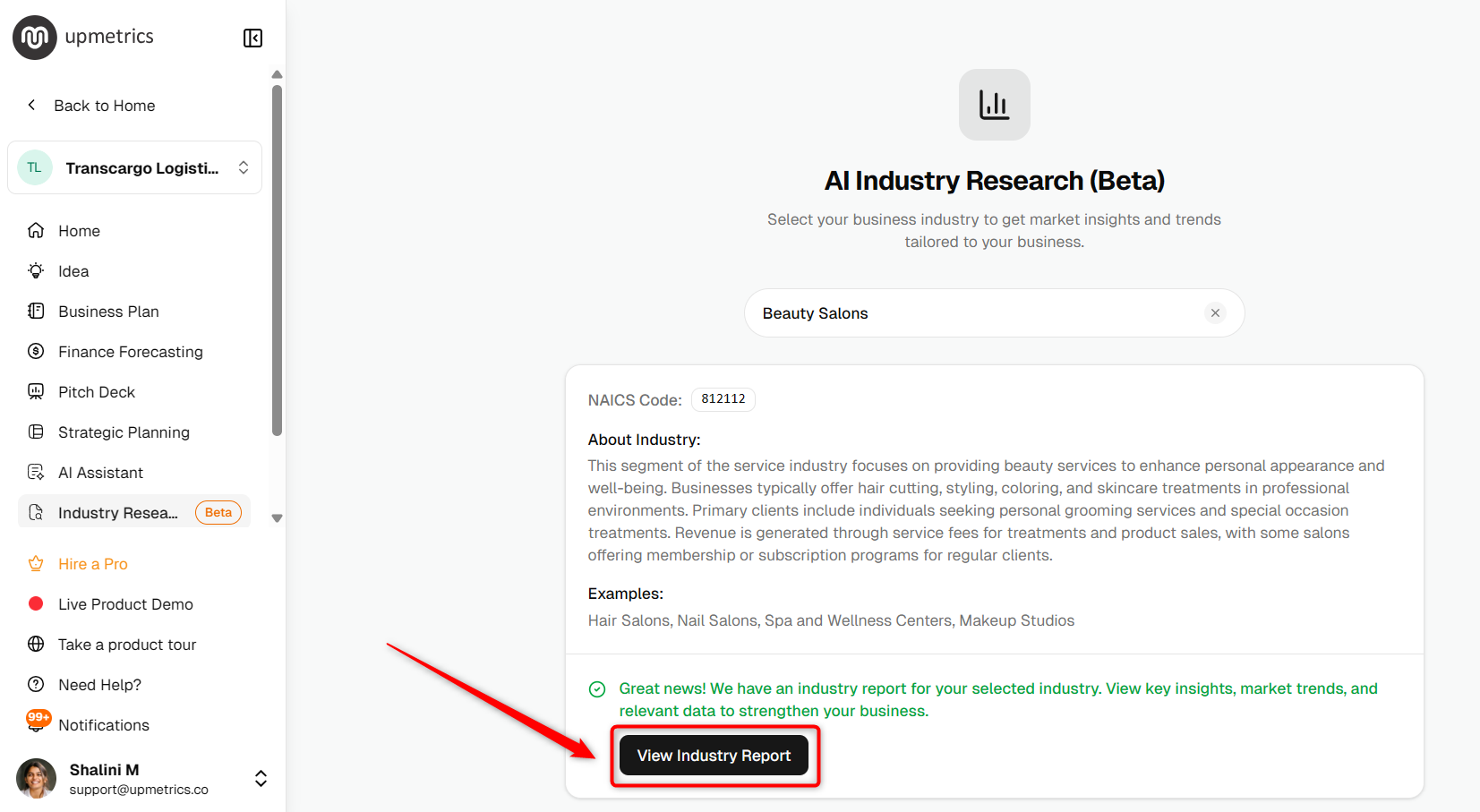
If the industry report is already published, you can open it directly from the View Industry Report option.
- 4
-
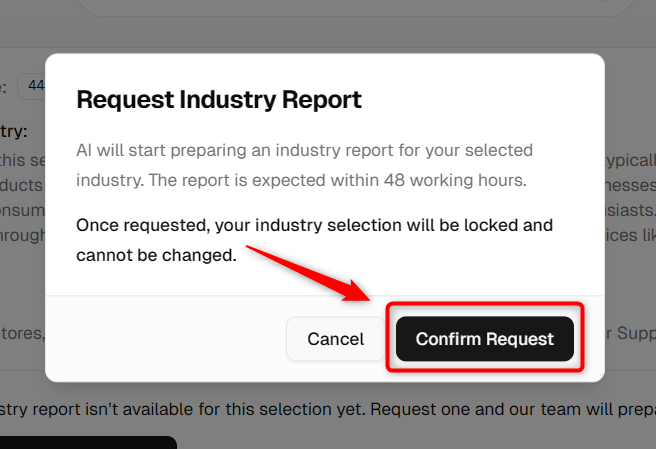
If the report isn’t available for your selected industry, click Request Industry Report.
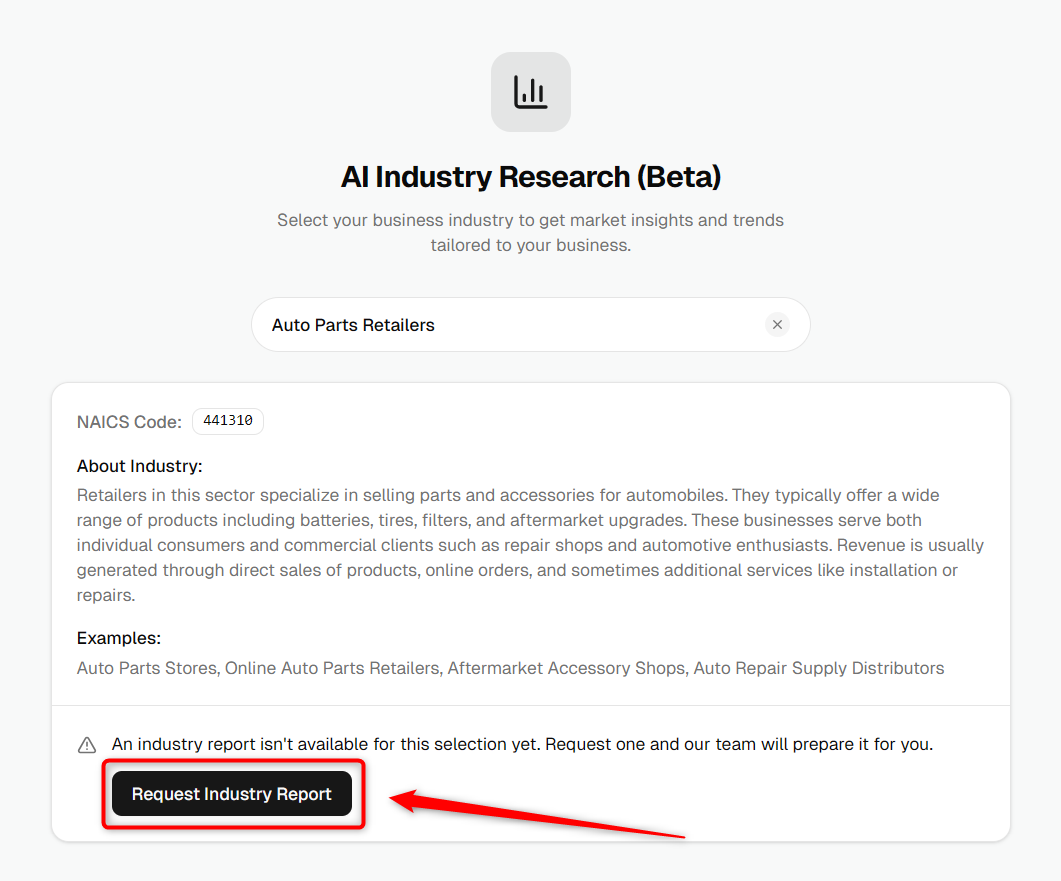
A confirmation popup will appear. Review the details and click Yes, Request Report to confirm your request.
- 5
-
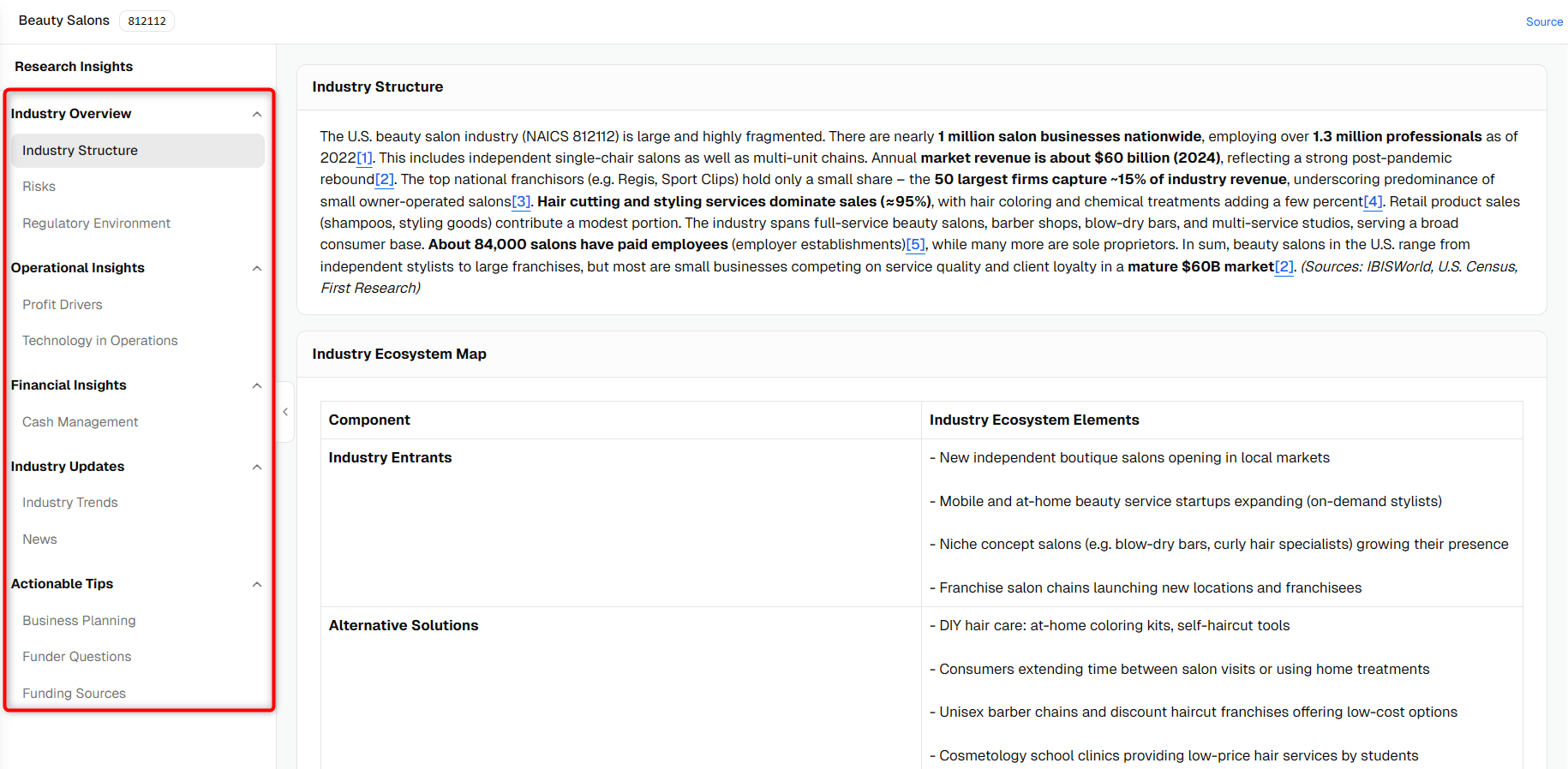
In the industry report, use the left sidebar to explore sections like Industry Overview, Operational Insights, Financial Insights, and more.
NOTE: Once an industry report is requested, the selected industry cannot be changed.
TIP: If you want to see what an industry report looks like before requesting one, click View Sample Report on the Industry Research page.
NOTE: Requested reports are typically published within 48 hours. You’ll receive an email notification as soon as the report is available.
After your requested report is published, you can return to Industry Research and open the newly available report directly.