
Can I pay for Upmetrics Subscription using PayPal?
Upmetrics accepts payments via PayPal for all subscription plans, providing a secure and convenient alternative to credit cards.
This option is ideal if you prefer using your PayPal account for transactions or encounter issues with direct card payments.
Steps to pay for the Upmetrics subscription using PayPal
- 1
-
After setting up your account, log in to your account using this link:
https://app.upmetrics.co/auth/login - 2
-
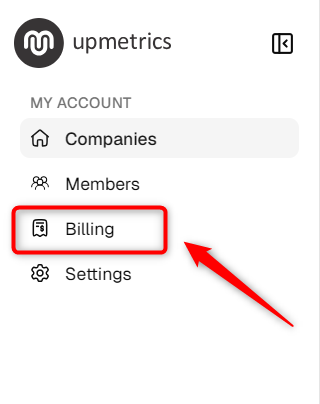
Within your account, locate the ' Billing' section in the sidebar and click on it.
- 3
-
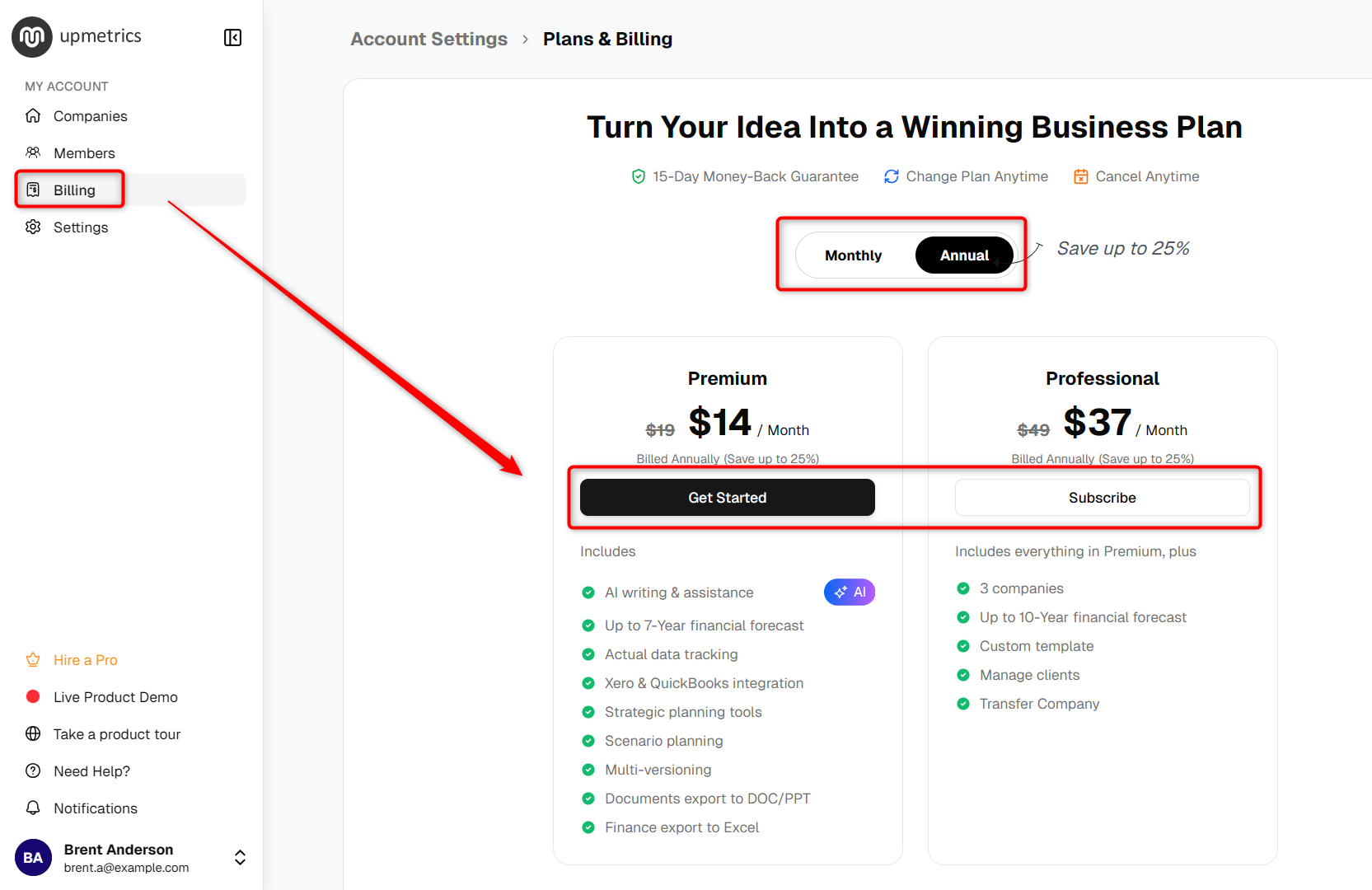
You'll see options such as Premium, and Professional plans. Decide whether you want a Monthly or Annually subscription and click Subscribe on your chosen plan.
- 4
-
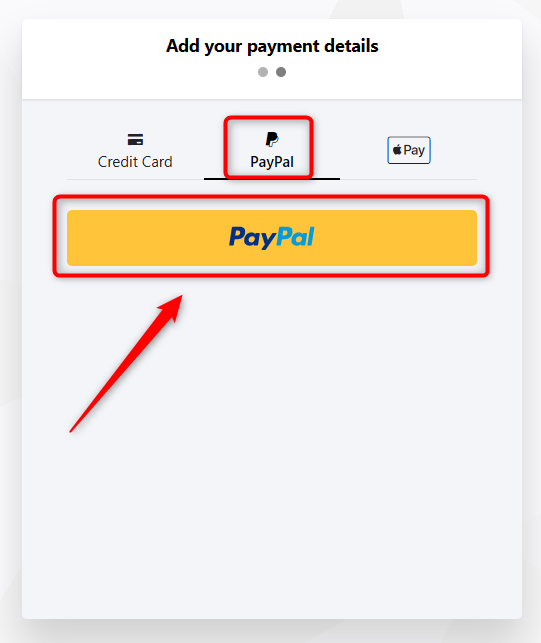
Click on proceed to pay, Go to the payment page and select PayPal as your payment option.
- 5
-
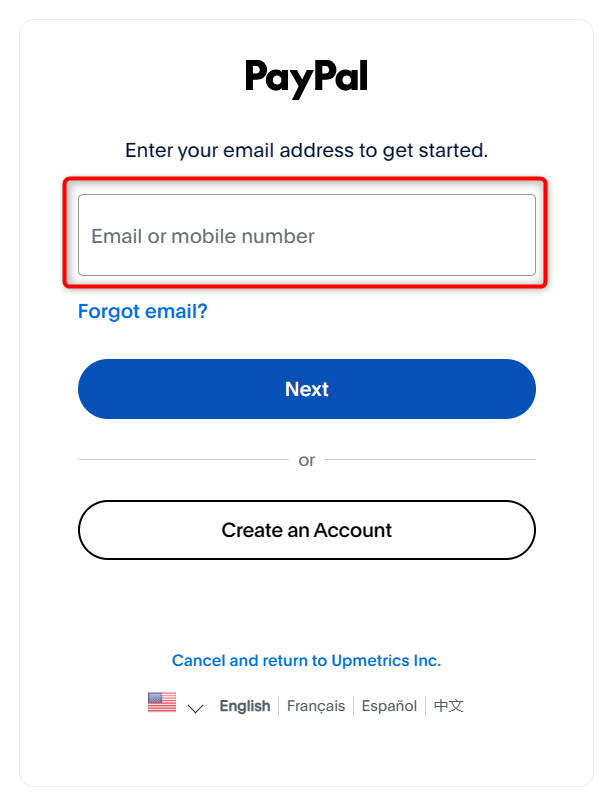
The system will redirect you to PayPal, login to your PayPal account and complete the payment.
As soon as the payment is confirmed your subscription will be active and you can create your business plan instantly.
NOTE: PayPal transactions for Upmetrics subscriptions are non-refundable. Please double-check your plan (Monthly/Yearly and tier) before making the payment.
That’s it! After you complete the steps above and your payment is confirmed, your Upmetrics subscription will be activated, and you’ll have full access to all features included in your chosen plan.